Creating Arenas
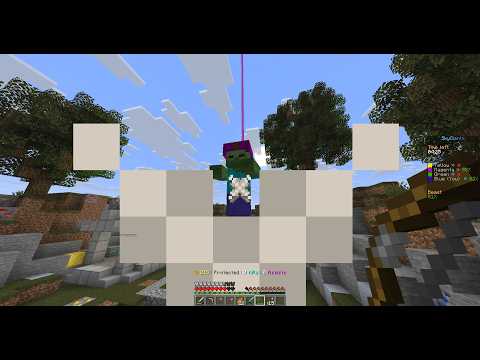
SkyGiants1058 features an intuitive in-game setup process with context-aware tools.
Setup Process
- Start Setup: Use
/sga create <name>to start a new arena setup session. - Waiting Points: Add waiting points using
/sga addwait. You can run this multiple times in different spots. - Teams: Add teams using
/sga team add <name> <color>(e.g.,Red RED,Blue BLUE). - Team Spawn: Go to the team's base and use
/sga team setspawn <team>. - Team Giant: Set the Giant's location for a team using
/sga team setgiant <team>. - Team Store: Set the store location for a team using
/sga team setstore <team>. - The Beast: Set the Beast's spawn location using
/sga setbeast. - Validation: Run
/sga validateto perform an integrity check. The plugin will notify you of any missing components. - Save: Once everything is valid, run
/sga saveto persist the arena toarenas/<name>.yml.
Context-Aware Tools
During the setup, you will receive items in your hotbar that change depending on your location:
- Team Tools: Appear when you are inside a team base.
- Beast Tools: Appear when you are in the Beast area.
Region Visualization
Team and Beast regions are rendered with colored particles during setup:
- RECTANGLE: Grid walls every 4 blocks + edges + floor/ceiling.
- OVAL: Smooth outline + vertical walls.
Key Commands
/sga create <name>- Start a setup session./sga team add <name> <color>- Add a team./sga validate- Check if the arena is ready to be saved./sga save- Save the arena.